
The Ergonomic Posture Daily Routine You Need
Why Desk Posture Alignment Tips Can Change Your Workday (and Your Health)
Desk posture alignment tips are the small, practical adjustments that keep your spine, neck, and joints in a healthy position while you work — and they matter far more than most people realize.
Here is a quick summary of the most important ones:
- Sit with your feet flat on the floor, knees at roughly 90 degrees
- Keep your monitor at eye level, about an arm’s length away (20–40 inches)
- Support your lower back with a lumbar cushion or a rolled-up towel
- Keep your elbows at 90 degrees, forearms parallel to the floor
- Position your keyboard 4–6 inches from the desk edge so your wrists can rest
- Check your head position — it should sit directly over your shoulders, not jutting forward
- Take a movement break every 30–60 minutes to reset your muscles and circulation
Most of us spend more than half of our workday sitting down. That is a long time to be in one position — especially if that position is slowly straining your spine, tightening your hip flexors, and overworking the muscles in your neck and upper back.
The consequences are real. Poor desk posture is one of the most common causes of back pain, neck stiffness, and persistent tension headaches. And it does not stop there. Research links prolonged sitting with elevated risks of obesity, high blood pressure, and cardiovascular disease.
Here is the thing most posture guides miss: the problem is rarely just how you sit. It is also how your workspace is set up, how often you move, and whether your habits reinforce good alignment — or quietly destroy it.
The good news? Most of these problems are fixable with small, consistent changes. No expensive equipment required to get started.
The Anatomy of Proper Desk Posture Alignment Tips
To understand why your back feels like a bag of dry twigs by 4:00 PM, we need to look at the anatomy of a “neutral spine.” Our spines aren’t straight lines; they are shaped like a gentle “S.” When we sit correctly, we maintain three natural curves: the cervical (neck), thoracic (middle back), and lumbar (lower back).
Proper desk posture alignment tips focus on maintaining this neutral position. When we slump, we flatten the lumbar curve and over-extend the thoracic curve, which forces the muscles in our back to work overtime just to keep us from falling over. This is essentially a form of constant, low-grade exercise—your muscles are burning energy just to hold a bad position, leading to that deep fatigue you feel at the end of the day.
Key anatomical goals include:
- Cervical Neutral: Your head should be balanced directly over your shoulders, not drifting toward the screen.
- Thoracic Lift: A gentle lift through the chest to prevent the shoulders from rounding forward.
- Lumbar Lordosis: Supporting the natural inward curve of the lower back.
According to scientific research on ergonomics and prolonged sitting, maintaining these curves reduces the pressure on your spinal discs and prevents the ligaments from overstretching.
Understanding the “Tech Neck” Impact
One of the most significant issues we see today is “Tech Neck” or forward head protrusion. It sounds minor, but the physics are alarming. For every inch your head moves forward from a neutral position, you add about 10 pounds of weight to your neck.
If your head drifts three inches forward while you’re deep in a spreadsheet, your neck is effectively supporting 30 extra pounds! This creates massive spinal disc pressure and can lead to chronic nerve constriction and tension headaches.
Setting Up Your Ergonomic Throne: Chair and Desk Alignment
Your chair is the foundation of your workstation. To sit properly, you need to find your “sitz bones”—the two bony points at the bottom of your pelvis. You want your weight distributed evenly over these bones, with your buttocks pressed against the back of the chair.
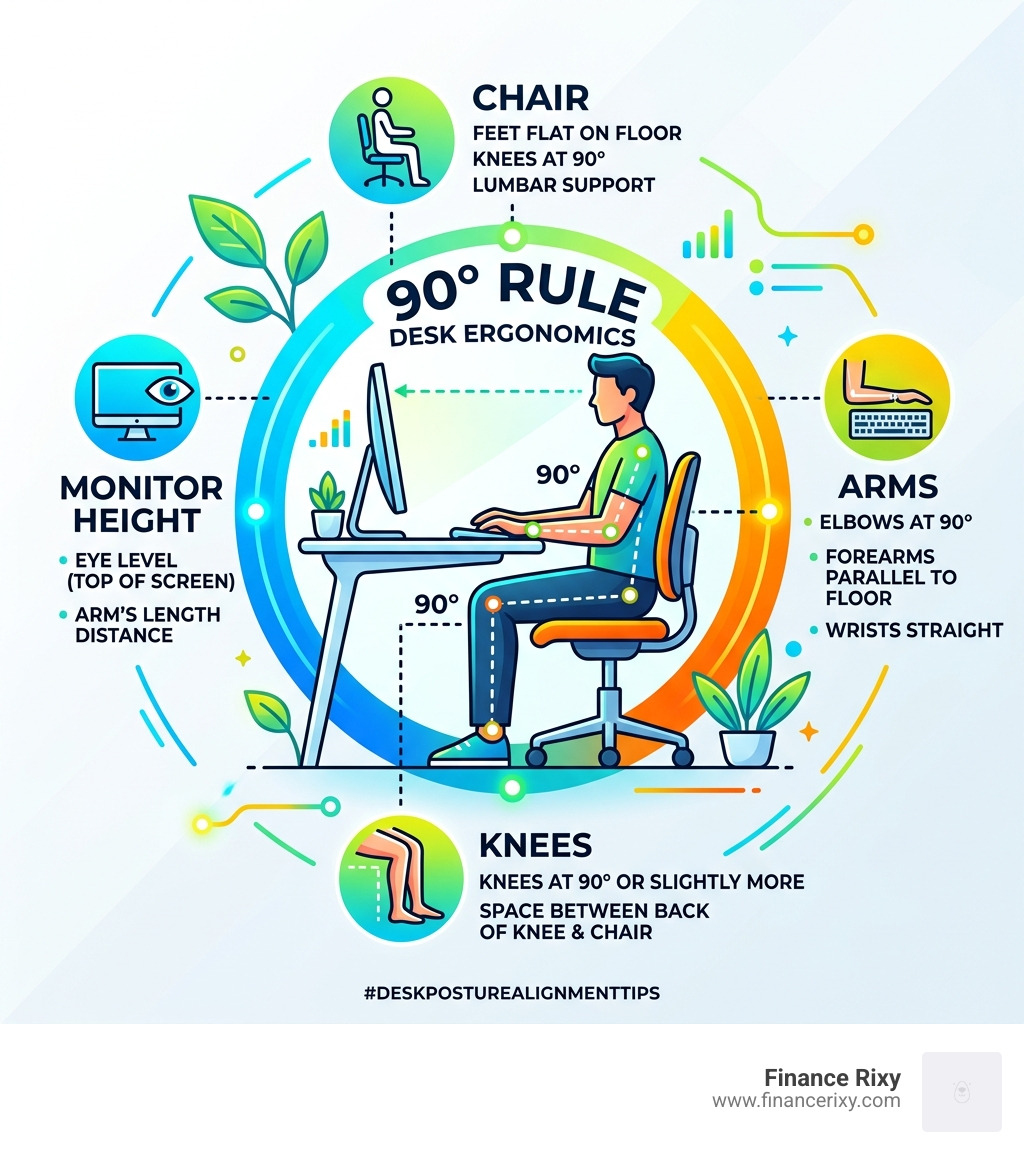
Follow the 90-degree rule: your hips, knees, and elbows should all be bent at roughly a 90 to 110-degree angle. Your thighs should be parallel to the floor, and there should be a small gap (about 2-3 fingers wide) between the edge of the seat and the back of your knees to ensure good circulation.
If you are on the shorter side and your feet don’t reach the floor after adjusting your chair height, use a footrest. Dangling feet pull your pelvis forward and ruin your lumbar support.
Comparing Seating Solutions
| Feature | Traditional Ergonomic Chair | Active Seating (Exercise Ball/Kneeling) |
|---|---|---|
| Back Support | Excellent; provides lumbar cradling | None; relies entirely on core strength |
| Spinal Stress | Low; if adjusted correctly | Moderate; can lead to fatigue over long hours |
| Core Engagement | Low | High; keeps muscles active |
| Best For | 8-hour workdays | Short intervals or “posture resets” |
Desk posture alignment tips for lumbar support
The most common mistake we see is a “floating” lower back. If there is a gap between your spine and the chair, your muscles have to stay “on” to support you.
If your chair doesn’t have built-in support, use the towel technique:
- Take a standard hand towel.
- Roll it up into a firm cylinder.
- Place it horizontally in the small of your back, right at the waistline.
This simple DIY fix maintains the lumbar arch and prevents slouching, which significantly reduces spinal stress.
Optimizing Your Tech: Monitor, Keyboard, and Mouse Placement
Even the best chair won’t help if you’re reaching for your tools. Your monitor should be directly in front of you, centered, and about an arm’s length away (20–40 inches).
If you’re using a laptop, the built-in screen is almost always too low. We strongly recommend using external peripherals—a separate keyboard and mouse—so you can raise the laptop on a stand to eye level. This prevents the “hunched” posture that destroys your neck.
For more detailed setup ideas, check out Office ergonomics: Your how-to guide – Mayo Clinic.
Desk posture alignment tips for monitor height
Your gaze should hit the top third of the screen when you’re looking straight ahead. If the monitor is too low, you’ll tilt your head down; if it’s too high, you’ll tilt your head back.
Special Tip for Bifocal Wearers: If you wear bifocals or progressive lenses, you likely tilt your head back to see through the bottom of your glasses. To fix this, lower your monitor an additional 1 to 2 inches to keep your neck in a neutral position. Also, position your screen perpendicular to windows to avoid glare, which often causes us to lean into awkward positions to see the text.
Desk posture alignment tips for wrist health
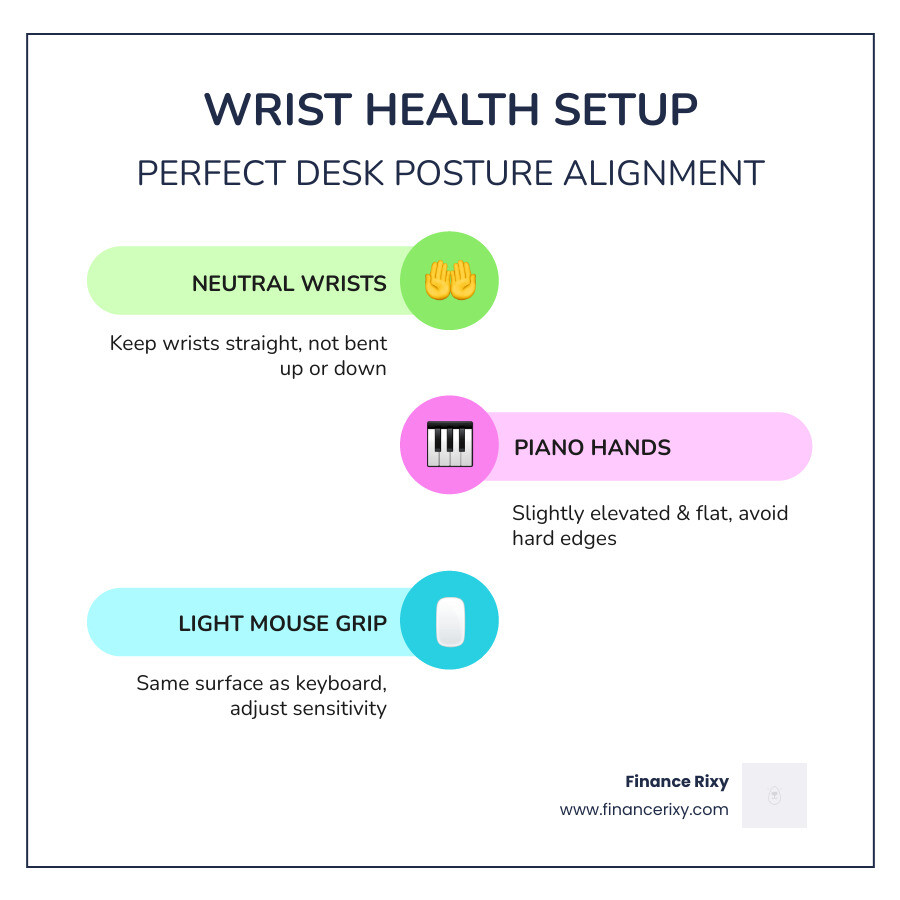
Your wrists should stay neutral—not bent up or down. Think of a “piano hand” position: your wrists should be slightly elevated and flat, not resting heavily on the desk or a hard edge. This prevents “contact stress,” which can irritate the nerves in your wrist.
Set your mouse sensitivity to a light touch so you don’t have to grip it tightly, and keep it on the same surface as your keyboard to avoid reaching.
The “Movement is Medicine” Routine: Stretches and Breaks
Even a “perfect” posture becomes harmful if held for hours. Static posture is the enemy of circulation. At Finance Rixy, we believe “the best posture is your next posture.”
We recommend the 20-20-20 rule for eye strain and physical resets: every 20 minutes, look at something 20 feet away for 20 seconds. While you’re at it, stand up!
Essential Daily Desk Stretches
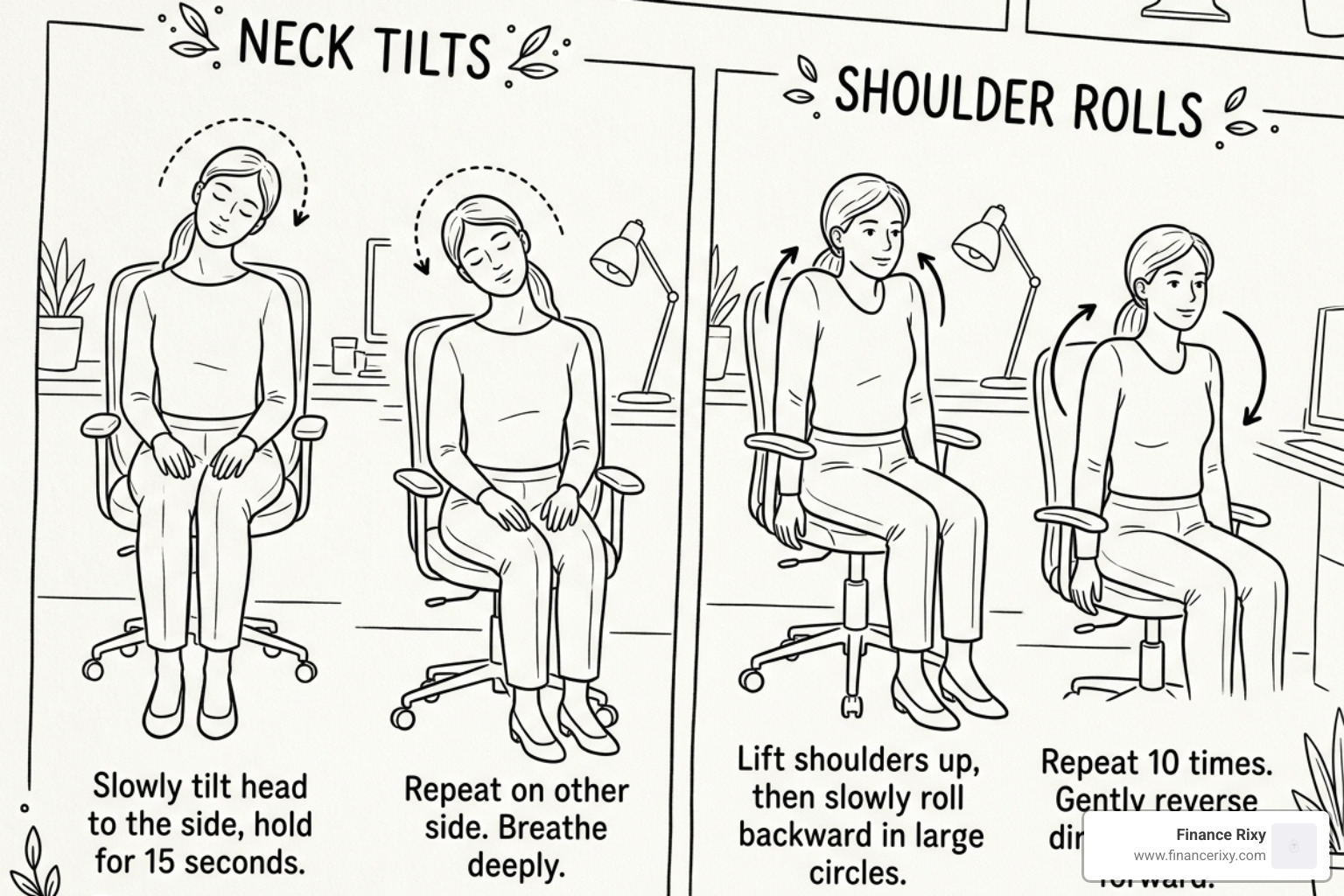
- Shoulder Rolls: Draw your shoulders up to your ears, then back and down. Repeat 5 times.
- Chin Tucks: Gently pull your chin straight back (creating a “double chin”) to reset your neck alignment.
- Chest Openers: Interlace your hands behind your back and gently lift your chest to counteract slouching.
- Hip Flexor Stretches: Stand up and take a large step back with one foot, gently tucking your pelvis to stretch the front of your hip.
Building Sustainable Posture Habits
The hardest part isn’t knowing what to do; it’s remembering to do it. Use habit stacking: attach a posture check to a common action. For example, every time you hit “send” on an email or take a sip of water, do a quick body scan. Are your shoulders creeping toward your ears? Is your chin drifting forward?
If you have a standing desk, don’t just stand all day. Alternate! Start with 30 minutes of standing followed by 60 minutes of sitting. Standing for too long can lead to its own set of problems, like lower back compression or leg fatigue.
Frequently Asked Questions about Desk Posture
How far should my monitor be from my eyes for good posture?
Your monitor should be about an arm’s length away—roughly 20 to 40 inches. If you find yourself leaning forward to read, increase the font size on your screen rather than moving your head closer.
Should I use an exercise ball or a regular chair for desk work?
An exercise ball is great for short bursts of “active sitting” to engage your core, but it offers zero back support. For a full workday, a supportive ergonomic chair is better. If you love the ball, use it for 20-30 minutes at a time as a “posture break.”
How frequently should I take breaks to maintain alignment?
You should change your position or stand up at least once every hour. Ideally, a 2-minute movement break every 30 minutes is the “gold standard” for keeping your tissues hydrated and your spine happy.
Conclusion
At Finance Rixy, we see how much a sedentary lifestyle can impact your energy. Proper desk posture alignment tips aren’t just about avoiding a sore back; they are about reclaiming your energy and focus. When your body isn’t struggling against gravity, you have more mental “fuel” for your work.
Start small. Tomorrow, try the towel technique for your lower back and set a timer for a 20-second stretch every half hour. Your spine—and your future self—will thank you.
